Listen to this episode of the Crazy Joe’s Drapery and Blinds podcast on Spotify, Apple Podcasts, and Amazon Music. Free in-home consultations across Toronto and the GTA — call (905) 848-2181.
Best blinds for a home office — glare, privacy, and Zoom calls. Working from home has changed what we need from our window treatments in a fundamental way. A home office window that was fine before — maybe you just walked past it occasionally — is now the backdrop to your entire work life. Glare, privacy, how you look on video calls, and how the room feels during an eight-hour work day all depend significantly on what's happening at that window.
The glare problem and why it matters more than you think. Screen glare is one of the most underrated sources of work-from-home fatigue. When bright light reflects off your monitor — whether it's direct sun hitting the screen or diffuse sky brightness creating a reflection — your eyes constantly adjust between the bright reflection and the darker screen content. This adjustment process is involuntary and continuous, and it tires your eyes significantly faster than working in consistent even light. By mid-afternoon on a bright day, people with glare issues feel noticeably more tired and find it harder to concentrate, and most of them attribute it to the work rather than the window situation. The fix is a window treatment that reduces the intensity of incoming light without making the room feel dark or closed off. A solar shade is the ideal product for this — it reduces glare and brightness while maintaining some view and keeping the room feeling open.
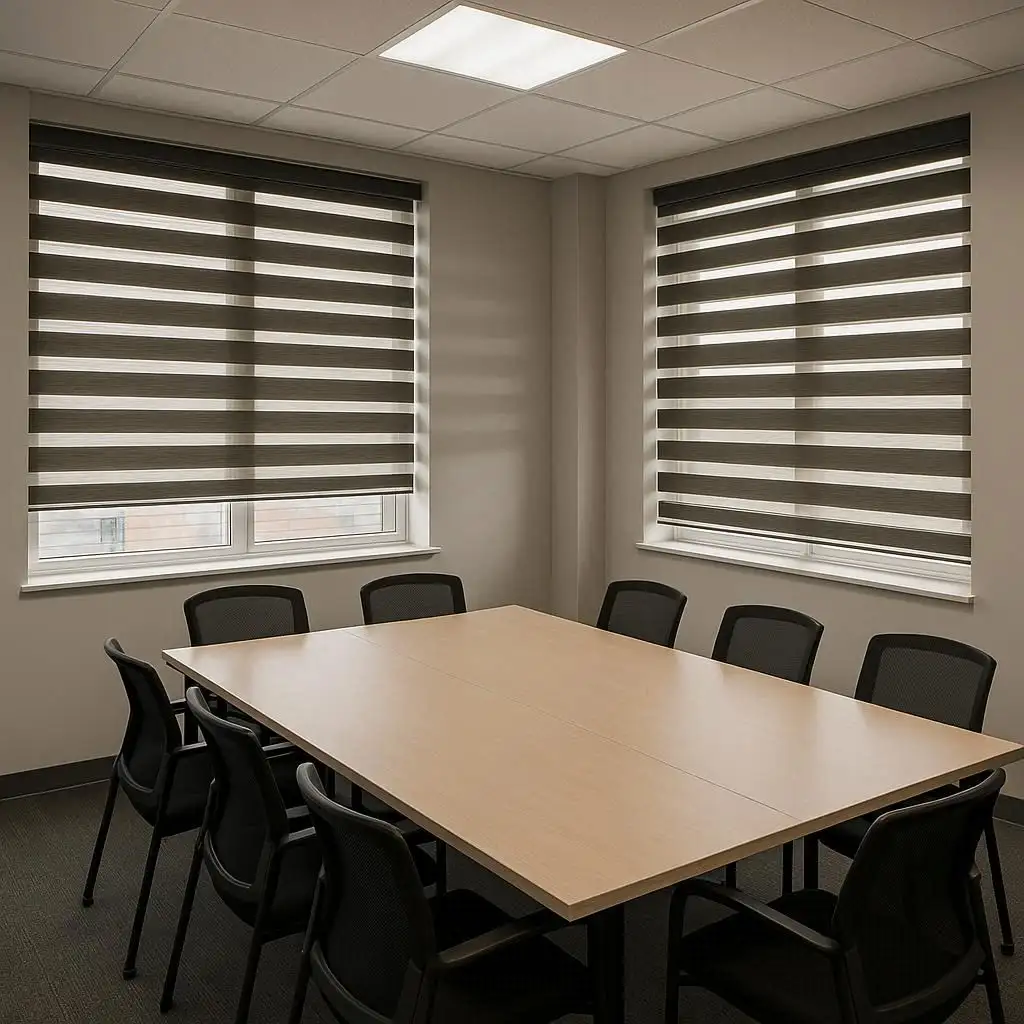
Solar shades for home offices — the specifics. Solar shades are rated by openness factor — the percentage of light they allow through. A 10% openness solar shade lets more light through and is appropriate for north-facing windows or where glare is moderate. A 3% or 5% openness shade is appropriate for south and west-facing windows with strong direct sun. The colour of the solar shade fabric also matters. Darker exterior colours — darker greys and blacks — provide better glare reduction and outside view while maintaining privacy during daylight hours. Lighter colours let more light through but provide less glare control. For a home office window that's giving you glare problems, a dark grey 3% or 5% openness solar shade is almost always the right answer. The difference in screen clarity and eye comfort is immediate and dramatic.
Privacy during work hours. If your home office is on the ground floor, faces a neighbour's windows, or is visible from a street or shared outdoor space, daytime privacy is important not just for comfort but for professionalism. You don't want a neighbour watching you work. You don't want passersby to be able to see what's on your screens. And in some professions — legal, medical, financial — client information on a screen visible from outside is a genuine confidentiality issue. A solar shade provides daytime privacy — during daylight hours you can see out but people outside can't see in because the interior is darker than the exterior. This is called a one-way privacy effect and it works reliably as long as there's more light outside than inside. At night, with your interior lights on, the solar shade's one-way effect reverses — now you're the brighter side and people outside can see in. For evening work hours, you need a blackout blind or a curtain to close for privacy.
Zoom calls and video conferencing — the lighting situation. This is where a lot of home workers haven't optimized their setup and it's costing them. The way you look on video calls affects how you're perceived professionally. The single worst setup for a video call — a bright window directly behind you. Your camera exposes for the bright background and your face becomes a silhouette. You look dark, flat, and almost anonymous. People on the call can't read your expression. The solution options. First — reposition so the window is to your side rather than behind you. Side light is actually flattering — it gives your face dimension and colour. This is how professional photographers light portraits. If you can't reposition — face the window if possible. Front light from a window makes you look excellent on camera — bright, clear, natural. If you must have the window behind you — use a blind to control how much light comes through. A partially closed solar shade or roller blind behind you on a call dramatically changes how you look on camera. Enough light to show you're in a real space, not so much that it overwhelms your camera's exposure.
The ideal home office window setup. Here's what we recommend for most home offices after thinking through all these factors together. A solar shade as the primary treatment — mounted inside the frame for a clean look, or outside the frame to also cover the frame itself. Choose the openness factor based on your window orientation and how much direct sun you receive. This handles daytime glare, gives you daytime privacy, and lets you keep the room feeling open. A secondary blackout option for evening hours, video calls where you need more control, or when you simply want to close off the window. This can be a second roller blind — many installations layer a solar shade and a blackout blind on a dual bracket — or a lined curtain that you can pull closed when needed. If your window is west-facing and you regularly work in the late afternoon — the sun will be low and harsh during your peak afternoon work hours. Prioritize the blackout option for those hours.
Motorized blinds for a home office — more useful than you'd expect. In a home office, you adjust your blinds more frequently than in most other rooms. The sun moves throughout the day. You have calls at different times. Your needs at 9am are different from your needs at 3pm. Manually adjusting a blind every time the light changes or a call starts is a small but real friction. A motorized blind that you can adjust with one tap on your phone — or that you can set to position changes on a schedule based on the time of day — removes that friction entirely. Some customers set a scene specifically for video calls — tap one button and the blind moves to the position that gives you the best background light on camera. They call it their "call setting." It takes two seconds to activate and the difference in call quality is visible.
At Crazy Joe's Drapery and Blinds, we work with a lot of home office setups across Toronto and the GTA. We understand the specific challenges of working from home and how to configure window treatments to address them. Call us and we'll come and look at your home office with all of this in mind.
Crazy Joe’s Drapery and Blinds has been Ontario’s trusted window treatment specialist since 1965. We offer custom drapes, custom blinds, motorized blinds, plantation shutters, roller shades, and drapery hardware — all custom-made in our Toronto factory. Free in-home consultations and free measurements across Toronto, Mississauga, Brampton, North York, Etobicoke, Scarborough, Vaughan, Thornhill, Burlington, Hamilton, Oakville, Ajax, Oshawa, Woodbridge, and Aurora.
Visit crazyjoes.com/ or call (905) 848-2181 to book your free consultation today.